
When a discrepancy appears — short supply, a wrong deduction, a price mismatch — automatically raise the ticket on the right portal, classified and evidenced, before the dispute window closes.
 Zepto
Zepto Swiggy Instamart
 Amazon
 Flipkart
 Myntra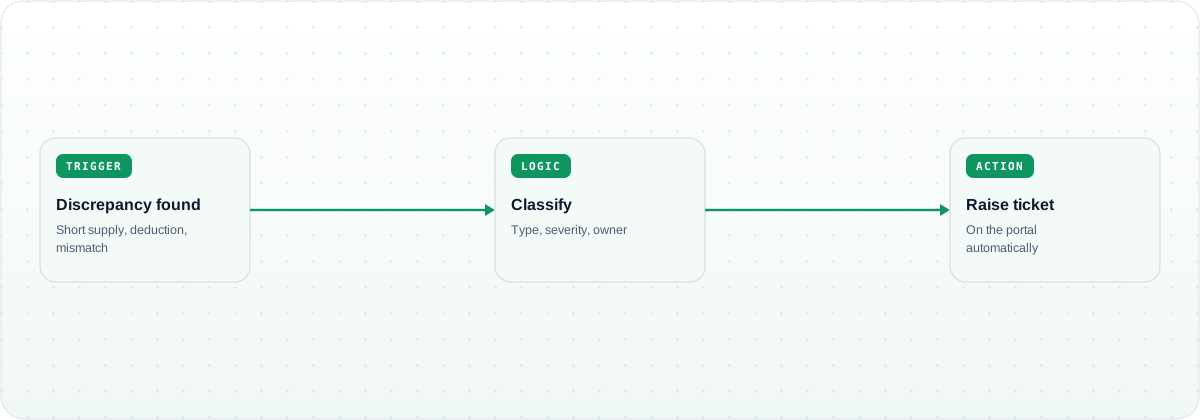
Disputes stop aging into write-offs. The moment a discrepancy is detected, a ticket is raised on the portal with the evidence attached, so recoverable claims are filed inside the window instead of discovered at month-end.
Tickets are raised as discrepancies are detected, not at month-end, keeping claims inside the portal dispute window.
The relevant documents — invoice, POD, DN mapping — are gathered and attached, so the ticket is actionable on submission.
Each discrepancy is typed and prioritised, so high-value claims are raised first and routed to the right owner.
Every detected discrepancy generates a ticket or a logged decision, so recoverable money is not quietly absorbed.
Limese. Limese reached 99% reconciliation accuracy on invoiced-versus-GRN quantities — the accurate detection that makes automatic, evidenced ticket creation possible in the first place.
Customers run this template across Blinkit, Zepto, Swiggy Instamart, BigBasket, Amazon, Flipkart, Nykaa, Myntra, Noon, Namshi, Trendyol and Zalando, spanning India, the Middle East and Southeast Asia. Additional channels and systems can be added to the workflow on request.
A detected discrepancy — short supply, an unexplained or wrong deduction, a rate or price mismatch on an invoice line — triggers ticket creation. Each is classified by type and priority before a ticket is raised.
Tickets can be created across the marketplace and quick-commerce portals you operate on, including Blinkit, Zepto, Swiggy Instamart, Amazon, Flipkart and Noon, through their respective interfaces.
Yes. The workflow gathers the relevant documents — such as the invoice, POD and debit-note mapping — and attaches them, so the ticket is ready to action rather than needing manual follow-up.
See discrepancies detected and raised as evidenced portal tickets automatically, before the window closes.
Book a demo →A workflow template that syncs data reports from every marketplace portal into GCS, BigQue…
A workflow template that ingests POs and punches sales orders or invoices across ERPs, wit…
A workflow template that automatically sends PO, SO and invoice communications to the righ…